Built for Preschools
Preschool management software built for how preschools actually run.
Small preschools run on trust, consistency, and daily communication. My Academy HQ handles the operational work — enrollment, tuition, schedules, and parent communication — so directors can focus on the classroom.
No credit card required. 14-day free trial.
Classes & Ratios
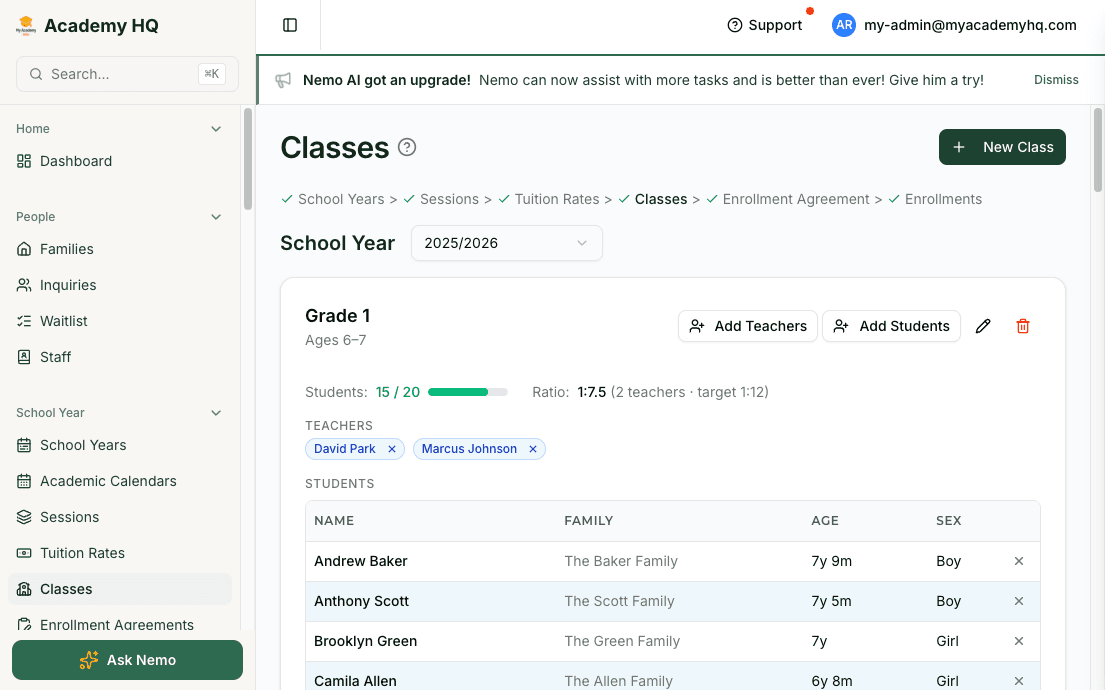
Organize classes by age, ratio, and teacher.
Set age ranges per class. Assign lead and assistant teachers. Place students into the right group with a drag-and-drop bulk assignment tool. My Academy HQ keeps the roster, ratios, and classroom assignments connected.
- Age-range configuration per class
- Lead and assistant teacher assignments
- Bulk student placement with one tool
Daily Schedule
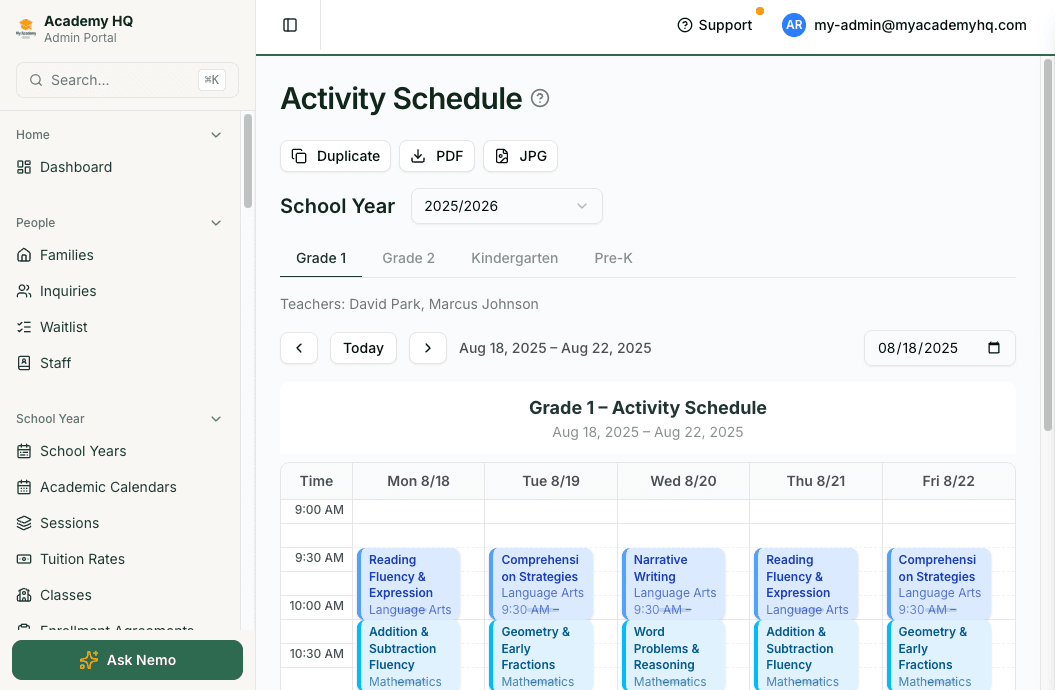
Publish the weekly activity schedule once. Everyone sees it.
Build the activity schedule for each class. Parents see it in the mobile app. Staff see it in the teacher portal. Export a PDF for the classroom wall. Everything stays in sync.
- Weekly activity schedule per class
- Published to parent and teacher portals automatically
- PDF export for classroom posting
Tuition Billing
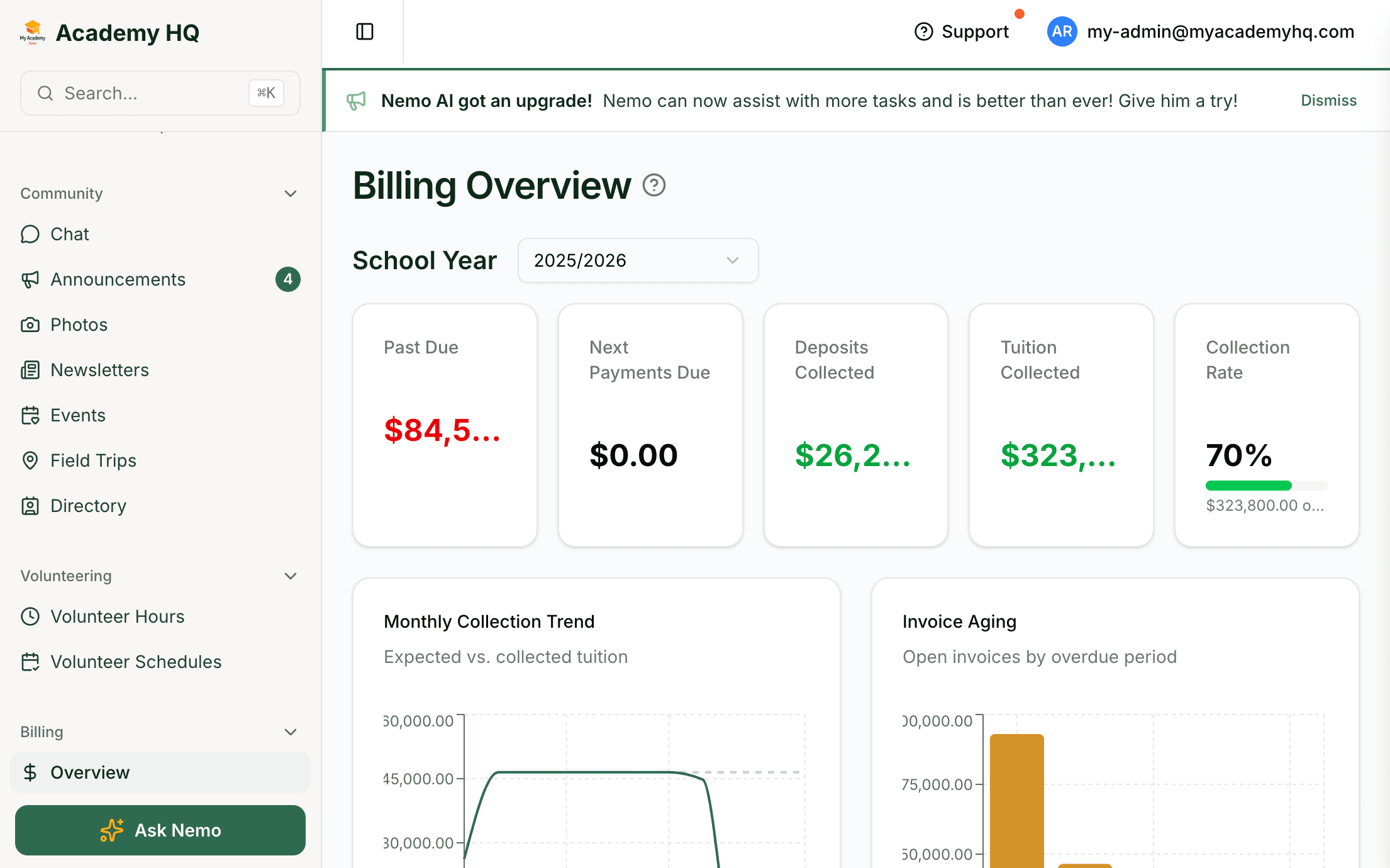
Tuition billing on Stripe, with automated late fees.
Send tuition invoices with one click. Payment links go directly to parents. Late fees calculate and invoice automatically. When a family pays, it syncs in real time. Sibling discounts apply automatically.
- Stripe-native invoicing with payment links
- Automatic late fee generation
- Sibling discounts applied by default
Parent Mobile App
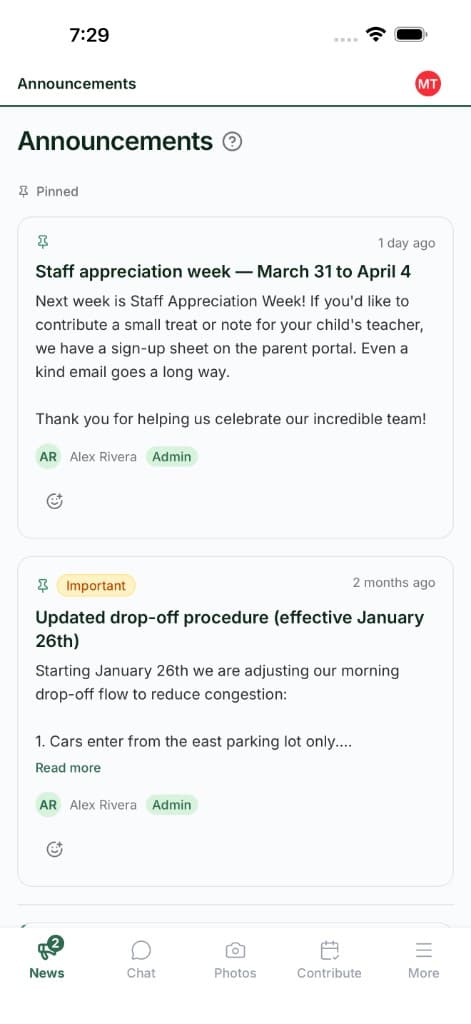
Parents get daily updates, photos, and schedules on their phone.
Every enrolled family gets a mobile app. Photos, daily reports, schedules, invoices, chat, and check-in — all in one place. You stop sending five tools to one parent.
- iOS and Android parent app
- Daily reports, photos, and schedules
- Messaging and billing in one view
One Tool. No Duct Tape.
Replace the stack you've been paying for.
Most preschool directors juggle a separate app for billing, another for parent communication, a third for curriculum, and a spreadsheet for enrollment. My Academy HQ replaces all of them.
- Brightwheel or ProcareParent communication and mobile app
- QuickBooks or manual invoicesStripe-native tuition billing
- Google Sheets for enrollmentEnrollment management
- Paper daily reportsDigital daily reports in the app
- MailchimpNewsletters, announcements, and chat
- Printed sign-in sheetsCheck-in kiosk and QR workflows
Preschool questions, answered.
- Do you support age-based classes and ratios?
- Yes. Every class has configurable age ranges and teacher assignments. You can place students into the right group and track ratios at a glance.
- Can parents see daily reports and photos on their phone?
- Yes. The parent mobile app (iOS and Android) shows daily reports, photos, schedules, invoices, and chat in one place.
- Do you support check-in kiosks for drop-off and pickup?
- Yes. The check-in kiosk and QR workflows are available on the Professional plan. Parents can check in with a code, and staff get an accurate roster in real time.
- What happens after the 14-day trial?
- Choose a plan and continue. If you don't, your account pauses — no charges, no data lost. No setup fees, no long-term contracts.
Built for preschools. Ready in a day.
Start with a 14-day free trial — no credit card, no setup fee. Or book a 20-minute demo tailored to your preschool.
More Solutions
Other school types we support
The same platform fits a range of school models. Explore how it maps to yours.
For Microschools
Volunteer hours, charter billing, and contracts — built for how microschools actually work.
Learn moreFor Enrichment Programs
Session-based enrollment, flexible scheduling, and per-session pricing for after-school and camps.
Learn moreFor Montessori Schools
Prepared environments, multi-age classes, and module-based curriculum in one connected system.
Learn moreFor Homeschool Co-ops
Charter-aware billing, contribution hours, and small-cohort scheduling for co-ops and learning pods.
Learn moreFor Private Academies
E-signature contracts, sibling discounts, and multi-class curriculum for established K–12 academies.
Learn more