Built for Montessori Schools
Management software that respects the Montessori method.
Multi-age classes. Module-based curriculum. Daily observations. My Academy HQ supports the way Montessori schools actually teach — without forcing you into a district-school workflow.
No credit card required. 14-day free trial.
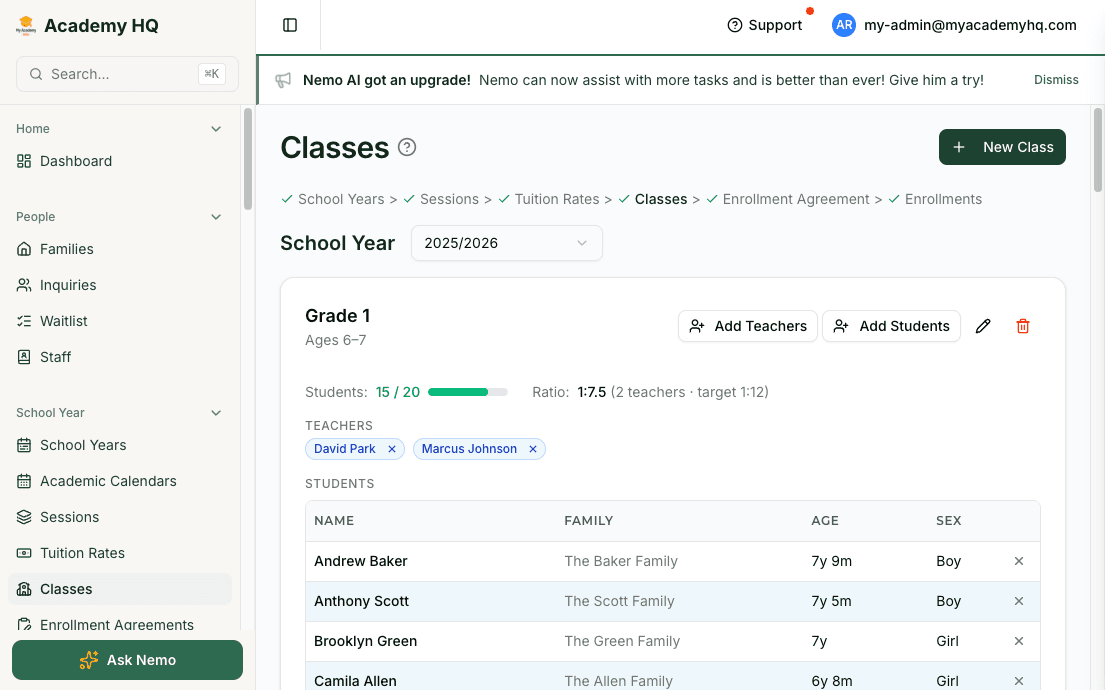
Multi-Age Classes
Configure classes that span age ranges — not rigid grade levels.
Primary (3–6), Lower Elementary (6–9), Upper Elementary (9–12) — configure classes with the age ranges your environment uses. Assign guides and assistants. Place students where they belong, not where a grade-level dropdown forces them.
- Flexible age-range classes
- Lead guide and assistant assignments
- Student placement without grade-level constraints
Module-Based Curriculum
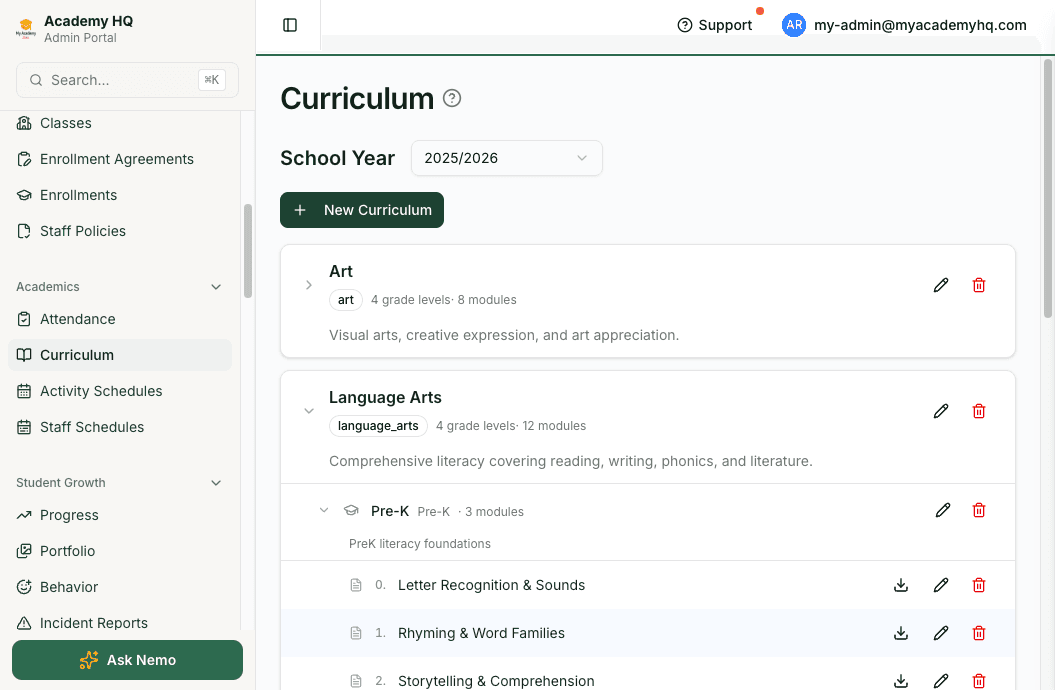
Curriculum organized by area, not by pacing guide.
Organize curriculum into hierarchies that match Montessori's prepared environment: program, age group, and module. Link modules to activities on the weekly schedule. Export module PDFs for guide reference.
- Hierarchical curriculum: program, age group, module
- Activity types aligned to Montessori areas (practical life, sensorial, language, math, culture)
- Module PDF export for guides
Observations & Progress
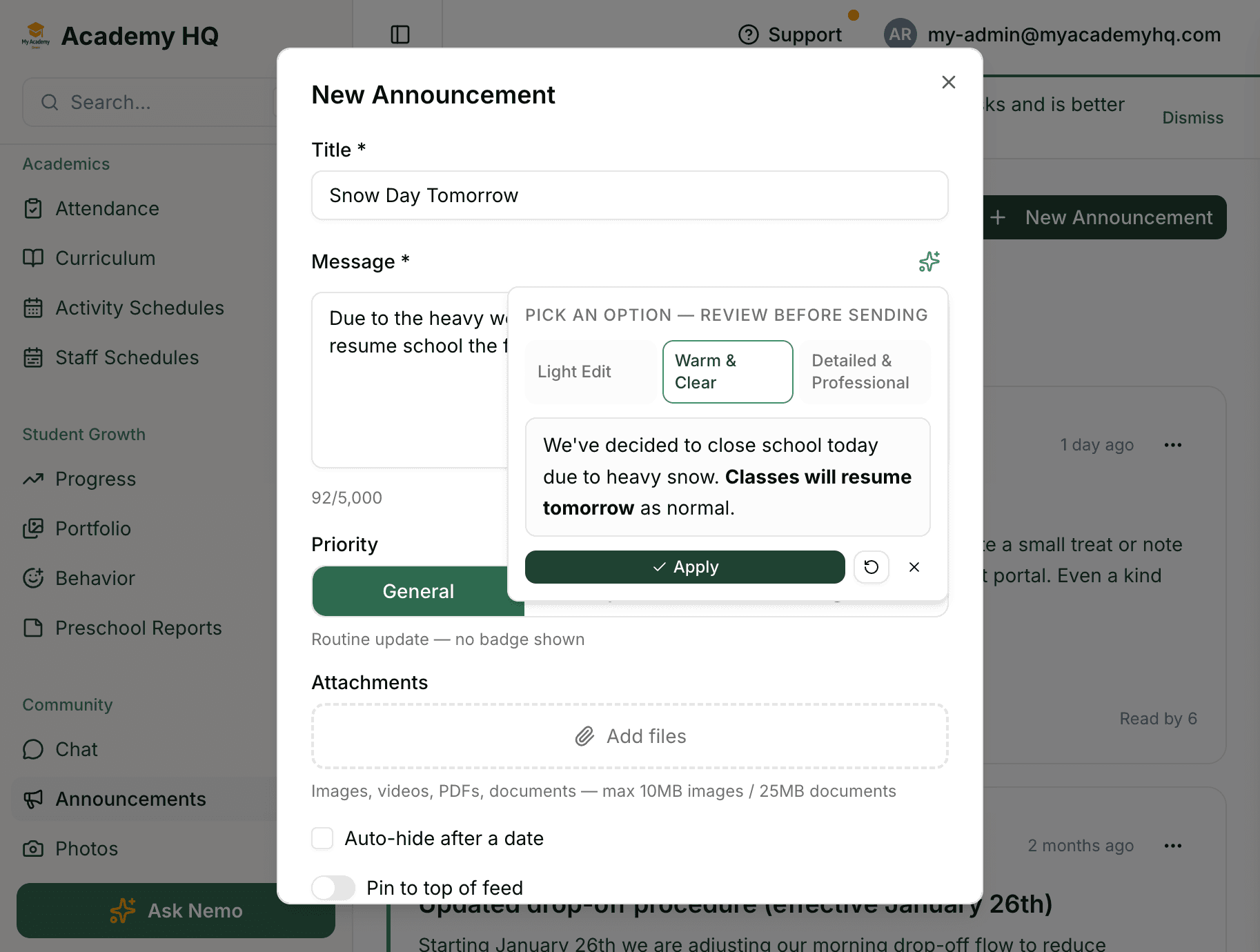
Track observations and progress without replacing the way you teach.
Guides capture observations in the teacher portal. Link them to students, lessons, and modules. Parents see progress in their portal — without you writing the same narrative twice.
- Observation capture in the teacher portal
- Progress tracking and portfolios per student
- Parent-portal progress visibility
Tuition & Billing
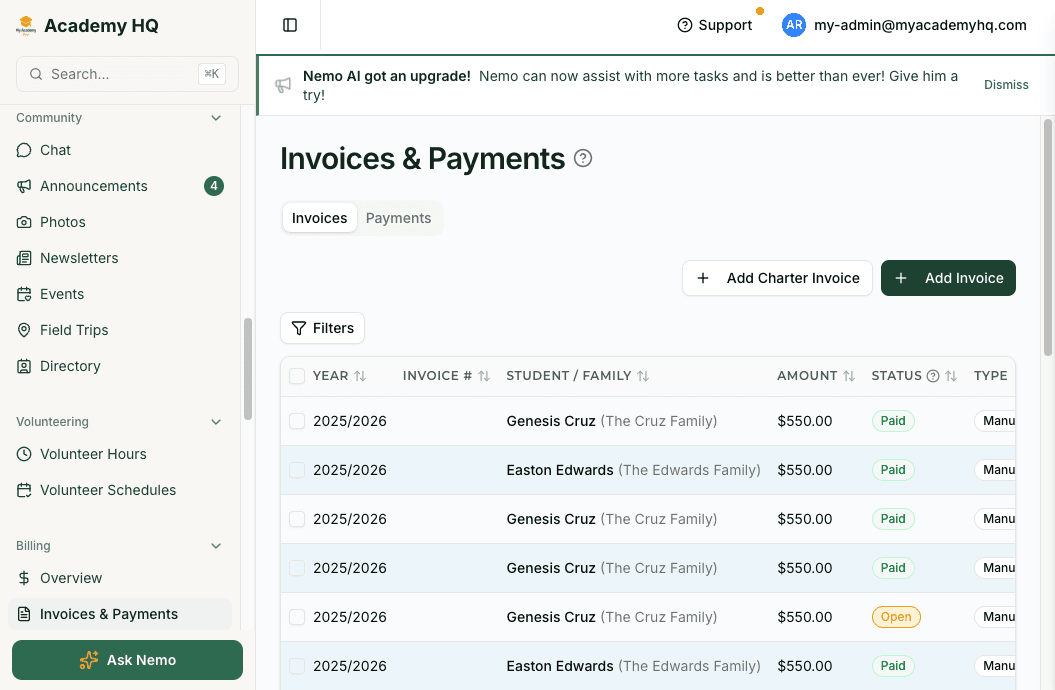
Tuition billing on Stripe, with sibling discounts built in.
Invoice tuition with one click. Late fees calculate automatically. Sibling discounts apply by default. Payment schedules match your cadence — annual, quarterly, or monthly.
- Stripe-native invoicing and payments
- Automatic sibling discounts
- Flexible payment schedules per family
One Tool. No Duct Tape.
Replace the tools that fight your pedagogy.
Most Montessori schools duct-tape together a district-style SIS, a word processor for observations, and a spreadsheet for tuition. My Academy HQ replaces all of it without forcing grade-level thinking on your environment.
- Transparent Classroom or similarObservations and progress tracking
- Google Docs for curriculumModule-based curriculum management
- QuickBooks or manual invoicesStripe-native tuition billing
- Google Sheets for enrollmentEnrollment management
- MailchimpNewsletters and announcements
Montessori questions, answered.
- Do you support multi-age classes instead of rigid grade levels?
- Yes. Every class has configurable age ranges. You can run Primary, Lower Elementary, Upper Elementary, and beyond without forcing grade-level dropdowns.
- Can guides capture observations linked to specific curriculum modules?
- Yes. Observations are captured in the teacher portal and can be linked to students, lessons, and curriculum modules. Parents see the resulting progress in their portal.
- Does the curriculum hierarchy match Montessori areas?
- Curriculum is hierarchical — program → age group → module — and activity types are configurable. You can organize around practical life, sensorial, language, math, and culture, or any structure you use.
- What happens after the 14-day trial?
- Choose a plan and continue. Otherwise your account pauses with no charges and no data lost.
Built for Montessori schools. Ready in a day.
Start with a 14-day free trial — no credit card required. Or book a 20-minute demo tailored to your environment.
More Solutions
Other school types we support
The same platform fits a range of school models. Explore how it maps to yours.
For Microschools
Volunteer hours, charter billing, and contracts — built for how microschools actually work.
Learn moreFor Enrichment Programs
Session-based enrollment, flexible scheduling, and per-session pricing for after-school and camps.
Learn moreFor Homeschool Co-ops
Charter-aware billing, contribution hours, and small-cohort scheduling for co-ops and learning pods.
Learn moreFor Private Academies
E-signature contracts, sibling discounts, and multi-class curriculum for established K–12 academies.
Learn moreFor Preschools
Age-based classes, daily schedules, parent apps, and tuition billing in one system.
Learn more