Built for Microschools
The only platform built for how microschools actually work.
Most school software was built for districts. My Academy HQ was built for the founder who is also the admissions director, billing department, and parent liaison — all before lunch.
No credit card required. 14-day free trial.
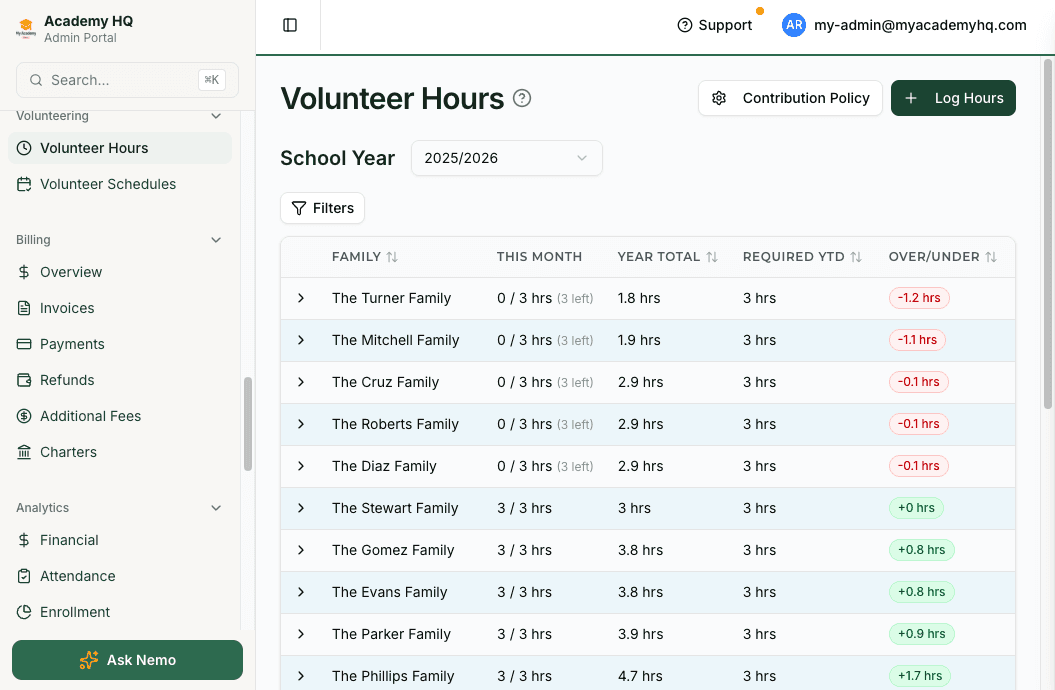
Contribution Tracking
Track required parent hours without chasing anyone down.
Microschools run on parent involvement. You require hours. Families forget. My Academy HQ tracks required contribution hours per family, lets parents claim open volunteer slots themselves, and logs completed hours automatically. You see who's current and who's behind without sending a single reminder by hand.
- Set required hours by Enrollment Tier
- Families claim open slots from a live schedule
- Past-due slots convert to logged hours automatically
- See every family's balance at a glance
Enrollment Contracts
Send a contract. Get it signed. Done.
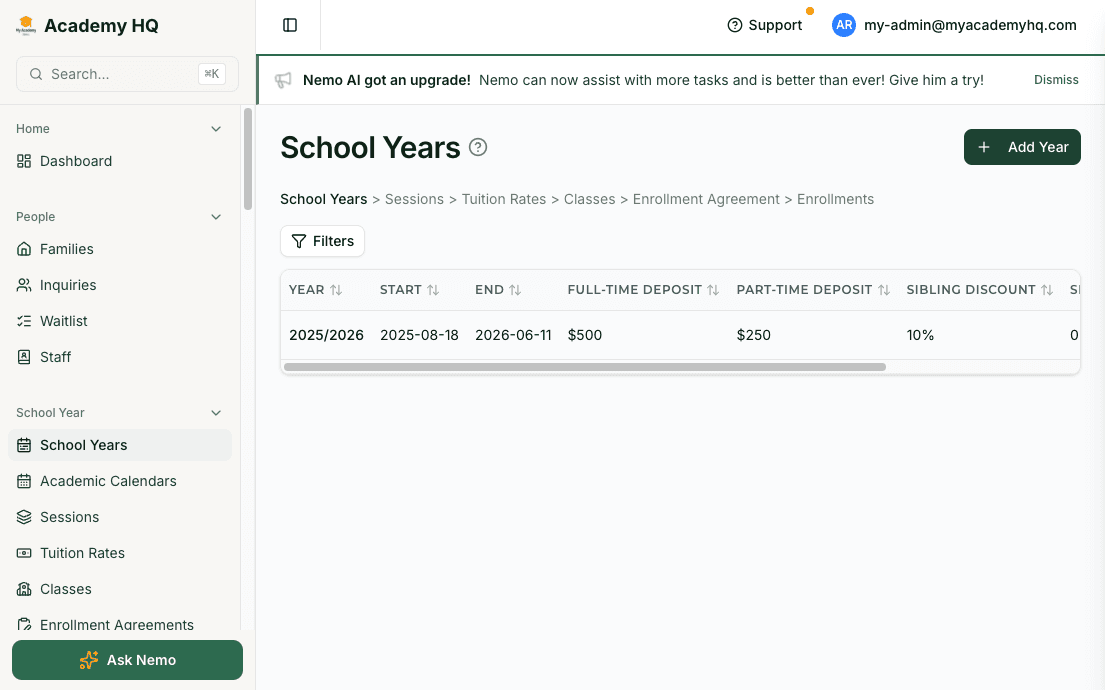
No separate DocuSign subscription. No PDFs emailed back and forth. No chasing down the second parent. My Academy HQ generates enrollment contracts with tuition details pre-filled, sends them to both parents, and enrolls the student automatically once everyone has signed. A parent portal account is created the moment the last signature lands.
- Contracts generated from your enrollment settings — no manual data entry
- Multi-signer support for primary and secondary parents
- Student enrolled and portal access granted automatically on completion
Charter-Aware Billing
Some of your students are charter-funded. Your billing knows it.
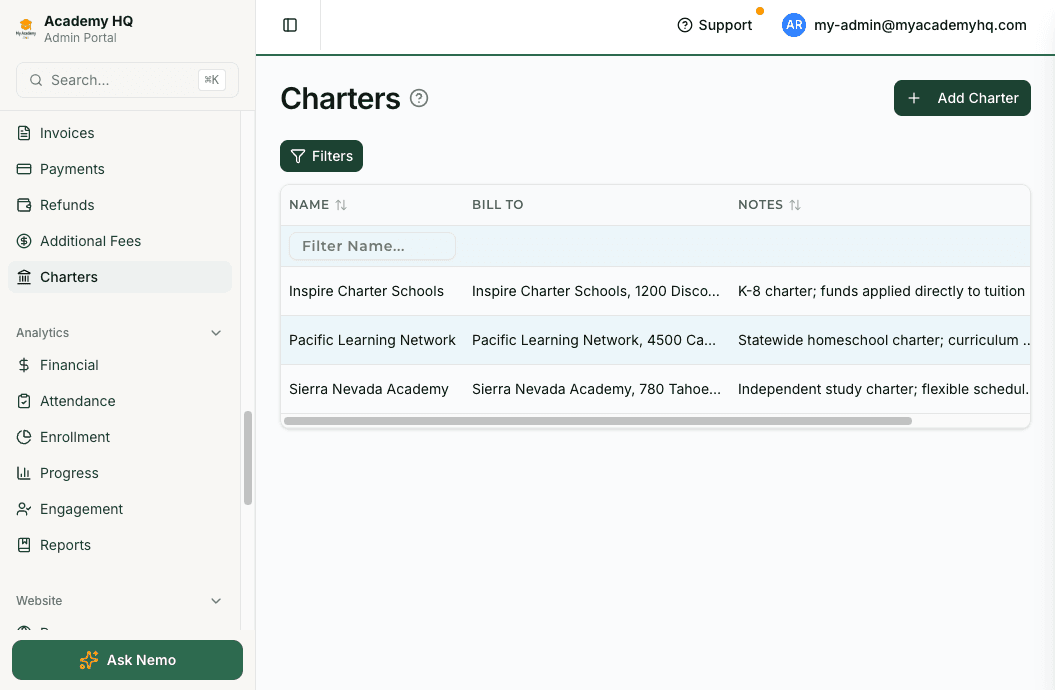
If you work with charter programs, you know the pain: tracking which students have charter associations, making sure invoices go to the right place, reconciling payments from multiple sources. My Academy HQ ties charter associations directly to enrollments and invoices. One billing view shows tuition, deposits, charter payments, and what's still outstanding.
- Associate charters with individual enrollments
- Generate and send charter-specific invoices
- See tuition and charter payments side by side
Tuition & Late Fees
Tuition billing and automated late fees on autopilot.
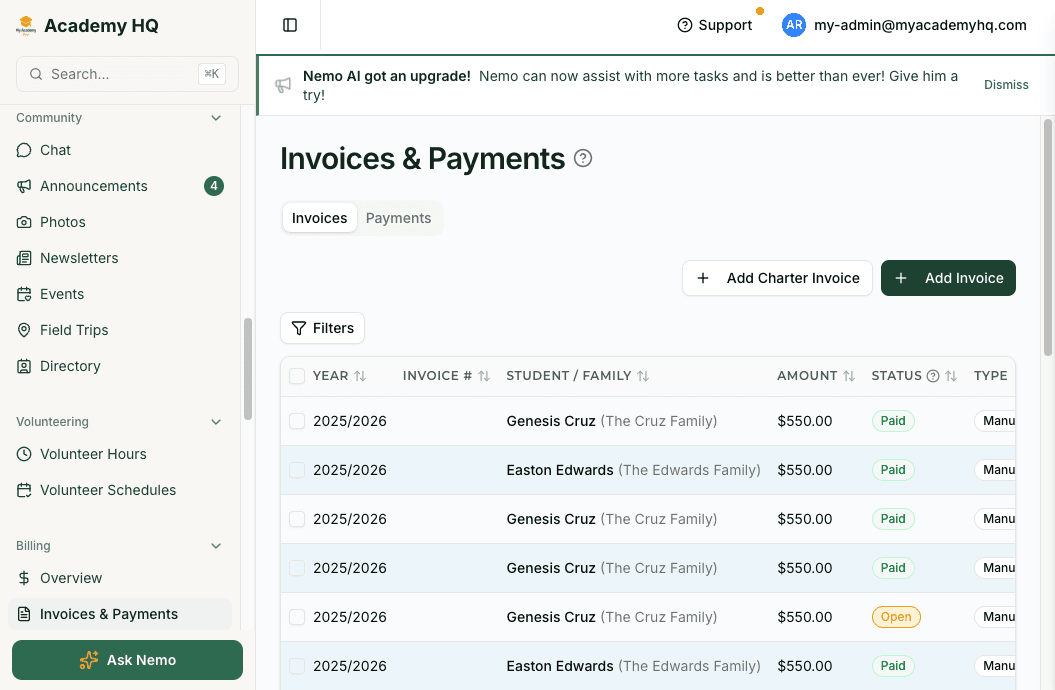
My Academy HQ connects directly to Stripe. Send a payment link in one click. Late fees calculate and invoice automatically on the rate, cadence, and cap you configure — without you touching anything. When a family pays, it syncs instantly.
- Stripe-native invoicing with payment links
- Automatic late fee invoices for overdue accounts
- Real-time payment status — no manual reconciliation
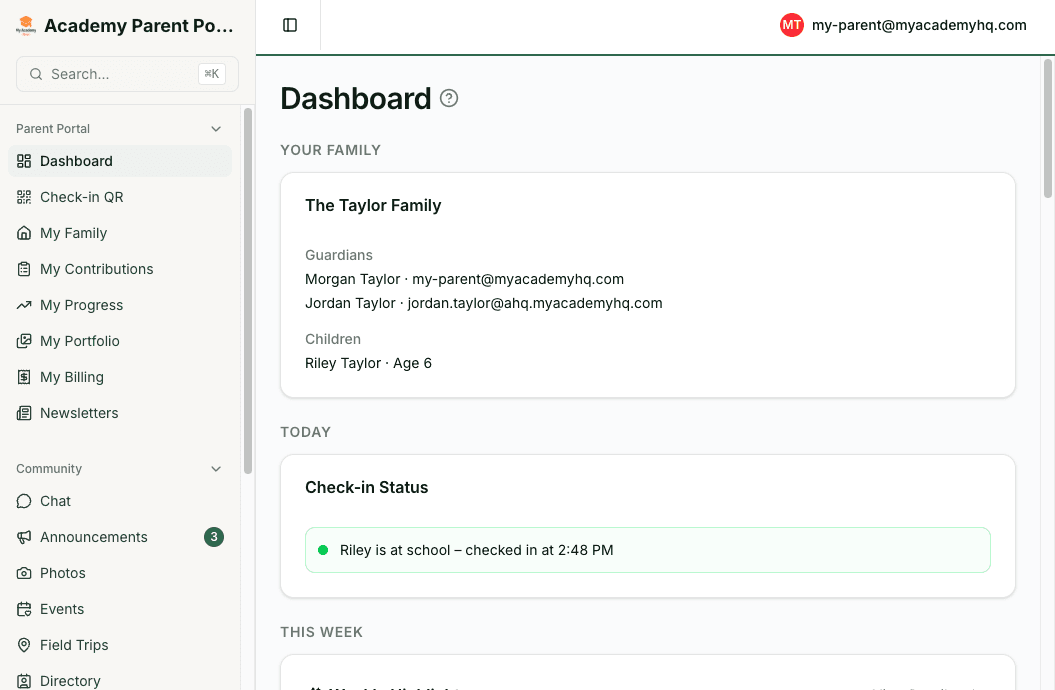
Parent Portal
Parents stay informed. You stop repeating yourself.
Every enrolled family gets a parent portal. They see the weekly activity schedule, curriculum, staff schedule, field trips, their contribution hours, and open volunteer slots. They opt their kids into field trips. They claim volunteer shifts. You stop answering the same five questions every Monday morning.
- Mobile app and web access
- Activity schedule, curriculum, and staff schedule always current
- Field trip opt-in and contribution slot claiming — self-service
Curriculum & Schedules
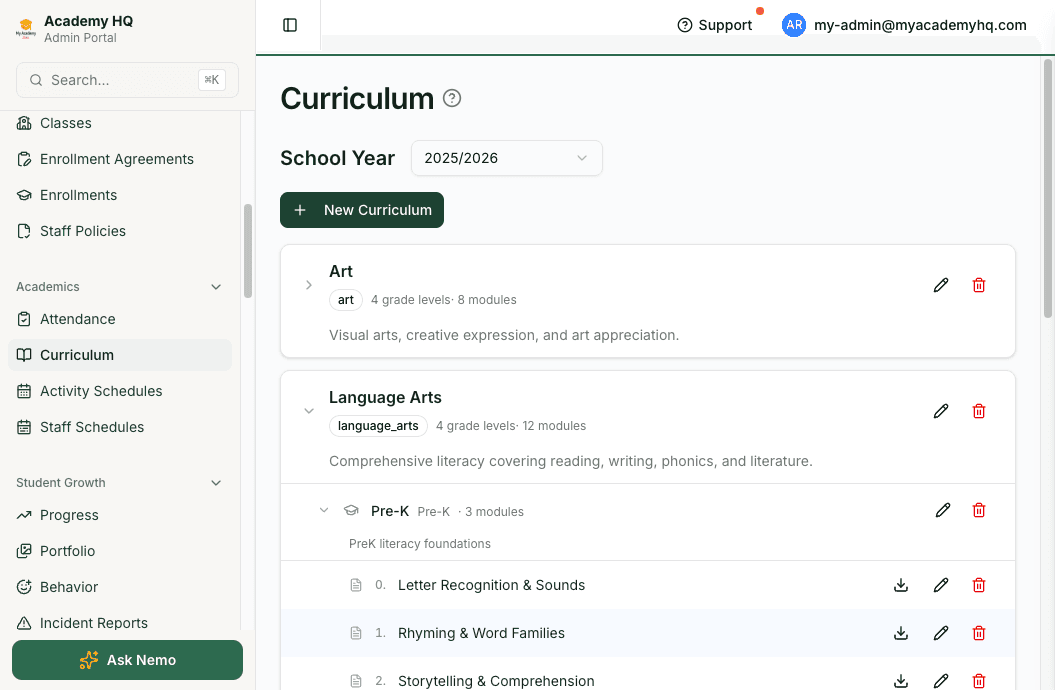
Build curriculum once. Publish it everywhere.
Organize curriculum by grade level, module, and activity type. Assign it to classes. Generate a weekly activity schedule. Send it home in the newsletter. Export it as a PDF for staff. Everything stays connected: the schedule links to the module, the module links to the curriculum, the newsletter pulls from both.
- Hierarchical curriculum: program, grade level, and module
- Weekly activity and staff schedules per class
- PDF export for staff; newsletter delivery to families
One Tool. No Duct Tape.
Replace the stack you've been duct-taping together.
Most microschool founders run four to seven tools: a CRM for leads, DocuSign for contracts, QuickBooks for billing, Google Sheets for volunteer hours, Mailchimp for newsletters, and a folder full of PDFs for curriculum. My Academy HQ replaces all of it.
- Google Sheets for enrollment trackingEnrollment management
- DocuSignE-signature contracts
- QuickBooks or manual invoicesStripe-native billing with automated late fees
- Spreadsheet for volunteer hoursContribution tracking
- MailchimpNewsletter system
- Google Docs for curriculumCurriculum management
- No parent communication toolParent portal and mobile app
Microschool questions, answered.
The things founders actually ask before switching.
- Do you support charter-funded students alongside private-pay families?
- Yes. Charter associations tie directly to individual enrollments. You can generate charter-specific invoices, track charter payments separately from tuition, and see everything reconciled in one billing view.
- How do parents claim contribution hours?
- Admins publish open volunteer slots on a live schedule. Parents log into the portal or mobile app and claim the slots that work for them. Completed hours log automatically, and past-due slots convert to logged hours without admin intervention.
- Can we send enrollment contracts that both parents have to sign?
- Yes. Contracts support multi-signer flows for primary and secondary parents. The student is automatically enrolled and a parent portal account is created the moment the last signature lands.
- What happens after the 14-day trial?
- Choose a plan and enter payment details to continue. If you decide not to, your account is paused — no charges, no data lost. There are no long-term contracts and no setup fees.
- Will this replace our current tools, or just add to them?
- Replace. Most microschool founders drop 4–7 tools after migrating to My Academy HQ — DocuSign, QuickBooks, Mailchimp, and volunteer-hour spreadsheets are the usual suspects. Our team helps migrate data during onboarding.
Built for microschools. Ready in a day.
Start with a 14-day free trial — no credit card, no setup fee. Or book a 20-minute demo and we'll show you exactly how the platform maps to your school.
Used by microschool founders across the country. Built by people who've run one.
More Solutions
Other school types we support
The same platform fits a range of school models. Explore how it maps to yours.
For Enrichment Programs
Session-based enrollment, flexible scheduling, and per-session pricing for after-school and camps.
Learn moreFor Montessori Schools
Prepared environments, multi-age classes, and module-based curriculum in one connected system.
Learn moreFor Homeschool Co-ops
Charter-aware billing, contribution hours, and small-cohort scheduling for co-ops and learning pods.
Learn moreFor Private Academies
E-signature contracts, sibling discounts, and multi-class curriculum for established K–12 academies.
Learn moreFor Preschools
Age-based classes, daily schedules, parent apps, and tuition billing in one system.
Learn more